
ScanMyDocs LLC

We don’t scan files. We Scanalyze them.™

Your records, handled like evidence.

ScanMyDocs scans, indexes, and delivers sensitive records for law firms, medical practices, and property managers, at our facility or on your premises, with a documented chain of custody from the moment we pick up a box to the moment you have your files.

Background: planned layout of our new Long Island production facility.

More than scanning. Files you can actually use.

Every job ends with organized, searchable files named the way your office already works.

Box and file scanning

Transfer boxes, closed case files, medical charts, and business records converted to clean PDFs, with staples, clips, and sticky notes removed by hand.

OCR and searchable PDFs

Find a name, date, or invoice number in seconds instead of digging through a file room.

Indexing and data extraction

Client names, account numbers, dates, and document types captured and exported to Excel or CSV.

QR and barcode separation

Separator sheets split and name documents automatically, so large batches come back organized.

Book and bound volume scanning

Books, bound ledgers, minute books, and fragile volumes scanned page by page, with care for the binding. We review each volume with you before we start.

Custom tools for your workflow

When scanning alone doesn’t fix the problem, we build the software that does. See examples.

Scanalyze™

Scanning gets you PDFs. Scanalyze gets you an organized archive.

After we scan your boxes, Scanalyze reads every page, works out what each document is, puts each one back together, and files it with a clear name. A storage company tells you where your boxes are. We tell you what’s in them.

How it works

  1. 1

    We scan and OCR every page, so all the text is searchable.

  2. 2

    AI reads every page on our own computers and identifies it: who sent it, what kind of document it is, the date, the account, and the page number.

  3. 3

    Our rules check the AI’s work, rebuild each document (even when its pages were out of order or in different stacks), then name it and file it. Anything uncertain goes to a Needs Review folder for a person to check. Nothing is filed wrong silently.

Is it AI? Yes, and it never leaves our office. AI does the reading, including a vision model that takes a second look at logos, stamps, and handwriting. Our own rules do the rest. The AI is fast. The rules make it reliable.

What you get

  • One PDF per document, named so you can find it at a glance, like Chase_5326_2018-03-01.pdf
  • Folders by sender, then by year, with tax forms in their own folder by tax year
  • Searchable text in every PDF
  • A spreadsheet index of every document, tied to the exact scanned pages it came from
  • A Needs Review folder for anything the system wasn’t sure about
  • Your original scans, unchanged

Why not just use a free AI tool?

For a handful of documents, tools like ChatGPT, Gemini, or Claude are great. They answer questions about a file. Scanalyze turns a pile of loose pages into a filed archive, and the two work well together: once your files are organized, any single document is easy to ask an AI about.

Free AI chat toolScanalyze
Reading one pageExcellentVery good
Thousands of pagesUpload limits, a few files at a timeBuilt for whole boxes
What you end up withAnswers in a chat windowSeparate, named, filed PDFs plus an index
Out-of-order pagesUp to youPut back together
MistakesConfident answers, even when wrongUncertain items flagged for review
Your documentsUploaded to the tool’s serversStay on our computers
Your timeUploading, checking, renaming, filingDelivered finished

Scanalyze questions

Are my documents uploaded anywhere?

No. All client documents are processed on our own computers. Our software is improved using samples, only with client permission.

What kinds of documents can it handle?

Bank, credit card, mortgage, and investment statements, utility and medical bills, tax forms, insurance papers, letters, and legal notices. For other kinds of files, such as a law firm’s case files, we set it up for your documents using samples first.

What happens with pages it isn’t sure about?

They go into a Needs Review folder with a note saying why. Nothing uncertain is filed as if it were finished.

What if pages are out of order, or a statement got split up?

Scanalyze uses page numbers, account numbers, and dates to put each document back together, even when its pages ended up in different stacks.

Can it handle stained, damaged, or handwritten pages?

Yes. Hard pages get a second look from a vision model that reads the image itself. Badly damaged pages are more likely to land in Needs Review.

Are my original scans changed?

No. The originals are only read, never changed.

Ask about Scanalyze

Every box is tracked, every step of the way.

Your chain of custody starts in your office, not ours. Each box gets a barcode at pickup, and every move after that is logged, so you have an audit trail from pickup to delivery.

  1. Step 1 · Pickup

    Sealed at your office

    Boxes are barcoded, wrapped in black vinyl, and loaded into locked steel dolly cages before they leave your office.

  2. Step 2 · Storage

    Locked until prep

    Boxes stay locked and tracked by barcode until they’re pulled for prep.

  3. Step 3 · Prep

    Prepared by hand

    Staples, clips, and sticky notes removed; torn pages repaired; folder order kept.

  4. Step 4 · Scan and QC

    Checked page by page

    Scanned, OCR’d, and checked for missing, blank, or unreadable pages.

  5. Step 5 · Delivery

    Back to you

    Files on encrypted media or secure transfer. Originals returned, or shredded with documentation if you choose.

New production facility coming soon. We’re moving into a dedicated, keypad-controlled production space on Long Island, with locked storage cages and restricted access for every stage above.

When records can’t leave the building, we bring the scanning to you.

On-site scanning is built for offices that hold PHI and PII: medical practices, HR departments, and law firms. Our equipment is self-contained, so your data never touches our network and our devices never touch yours.

Working with your IT team

Security questionnaires are part of the job. Send yours before we schedule. We’ll answer every question in writing and sign a Business Associate Agreement.

IT and security questions, answered up front

These are the questions IT and compliance teams ask us most. We’ll put the answers in writing for your engagement.

Do your devices connect to our network?

No. Our scanning PCs run standalone. Nothing is transmitted during capture, and we never need a login or port on your systems.

How is the data encrypted?

Our scanning PCs use BitLocker full-disk encryption, and files are saved to a hardware-encrypted external SSD. Before the job, we’ll give you the make, model, and encryption standard of each device in writing.

Does your OCR software use the cloud?

No. OCR and quality checks run locally on our encrypted PCs. No files are sent to any outside service.

What happens to our data on your equipment when the job ends?

You take custody of the SSD, with a signed receipt. Any working files on our PCs, including temporary files, are securely wiped, not just deleted, and we confirm it in writing.

Can the files go straight to our server?

Yes. At handoff, your IT team connects the SSD to your server and transfers the files themselves, so our equipment never touches your network.

Will you sign a Business Associate Agreement?

Yes. We sign a BAA before any work involving PHI begins.

How long will the project take?

It depends on volume and how much prep the files need. After a walkthrough, we’ll give you a written estimate of days on-site and the space and power we’ll need.

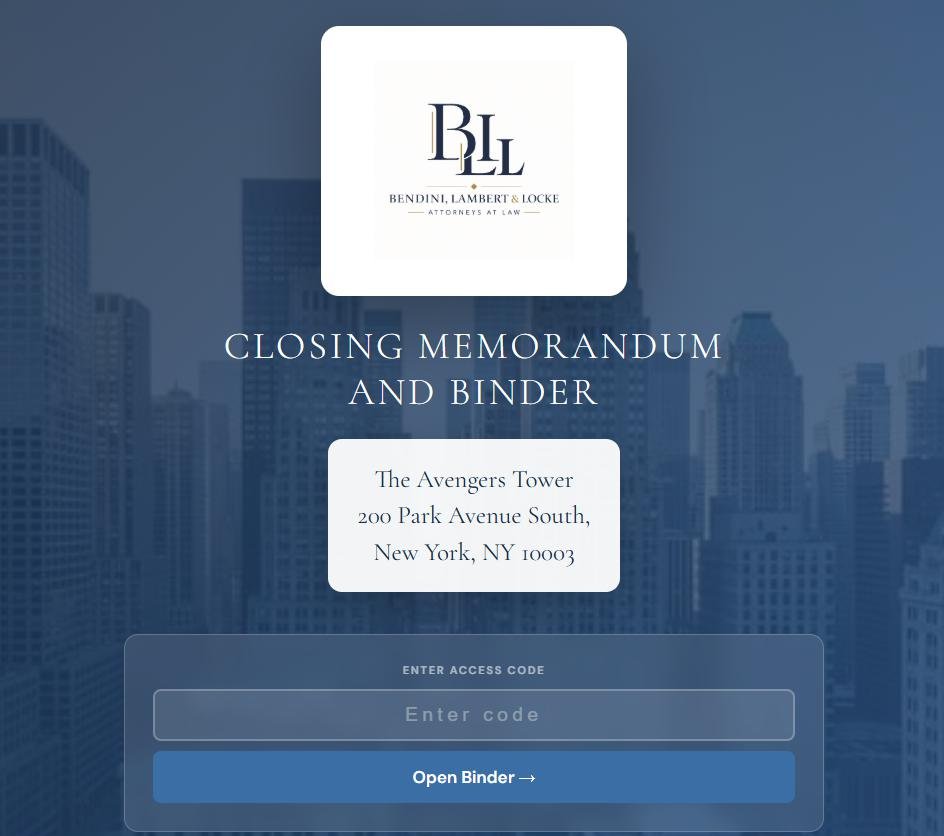
Sample closing binder cover page with a law firm's logo and property address
Sample binder for a fictional firm and property.

Closing binders, without the USB

Every closing document in one branded binder that opens in any browser, with the firm’s logo on the cover and the tabs indexed just like PDF bookmarks. No USB drives, printed inserts, cases, or FedEx runs.

  • Click any tab to view it. Miscellaneous items nest under their tab, just like the paper binder.
  • A separate copy for the other side. The attorney chooses which tabs go out. Held-back tabs show as “Not included in this copy,” so the numbering stays intact.
  • Works offline. Download the whole binder and keep it as a permanent copy.
  • Private links, no USB to lose. Delivered by secure link with an access code, 30-day expiry, one-click revoke, and a log of who opened what.

Try a live demo binder

Open it, enter the access code, and click Share with Other Side to see how the attorney picks what goes out. Fictional firm and documents.

Access code: CZSQ-EDUQ

Digital File Room

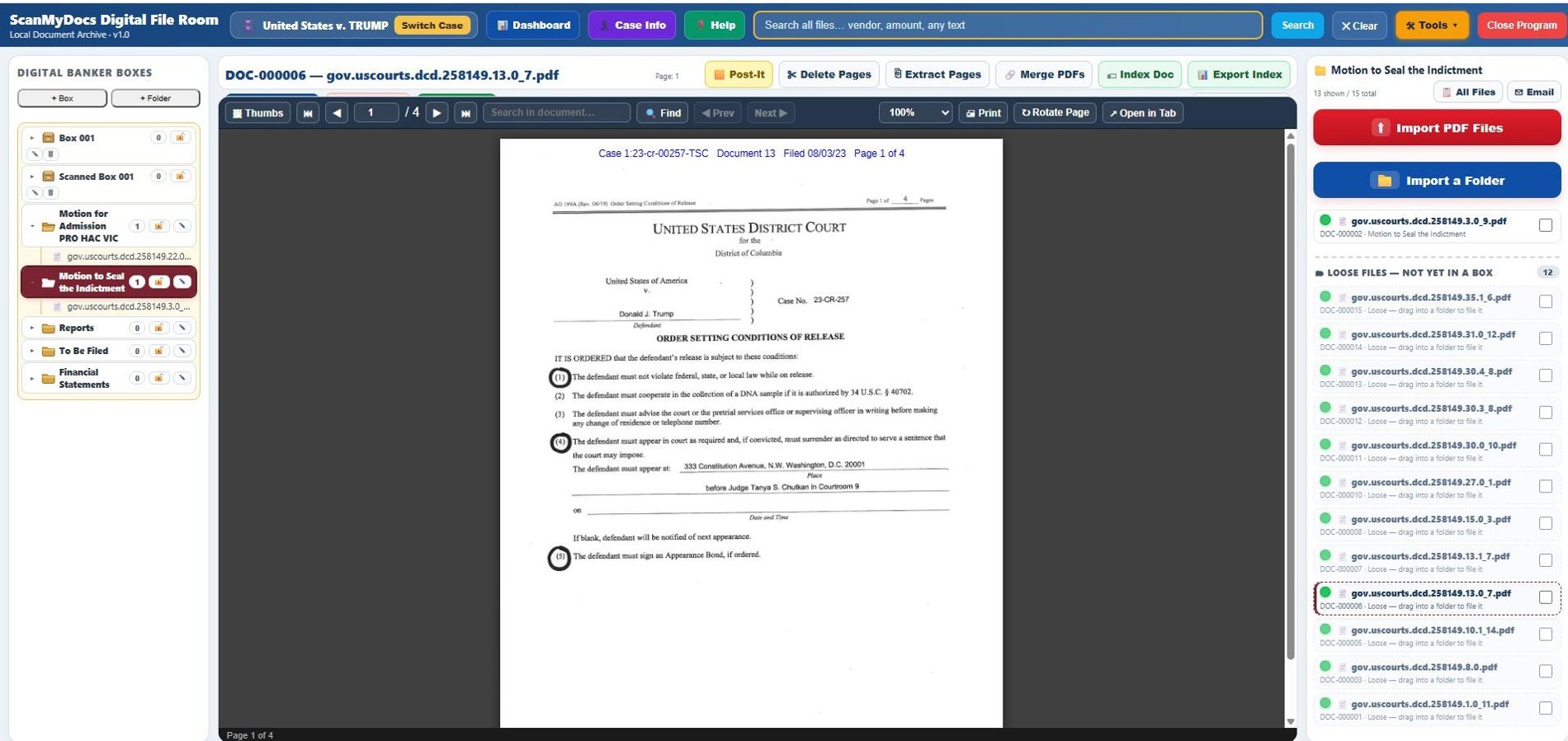
Your scanned archive, organized the way your file room already is. Boxes and folders on the left, full-text search across every file, and a built-in viewer with find, page extraction, merging, and exportable indexes. It runs on your own computer, so your files never go to the cloud.

Request a demo

We’ll walk you through it with your kind of files.

Digital File Room showing boxes and folders, a PDF open in the viewer, and a list of imported files
Shown with publicly available court filings.

Bank Analyzer for Medicaid lookbacks

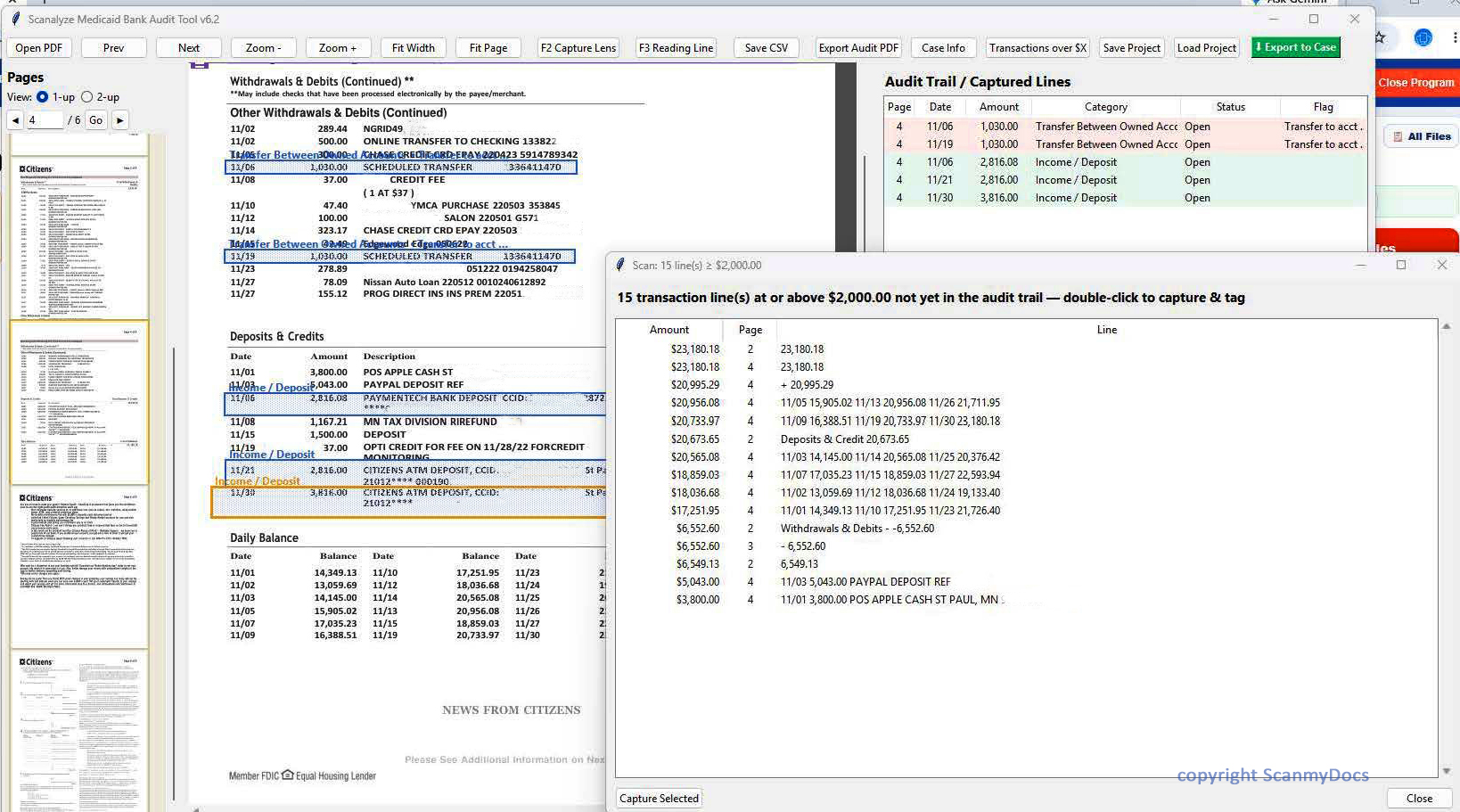
Built with an elder law firm’s paralegals. Open a bank statement, draw a box around any transaction, and the tool drafts the explanation. It flags lines still waiting on proof, finds every transaction over a dollar amount you choose, and exports a finished audit report for the attorney.

Paralegals are welcome to take it for a test drive.

Bank Analyzer with a bank statement open, captured transactions in the audit trail, and a scan for transactions over $2,000

Free download

ScanMyDocs PDF Viewer

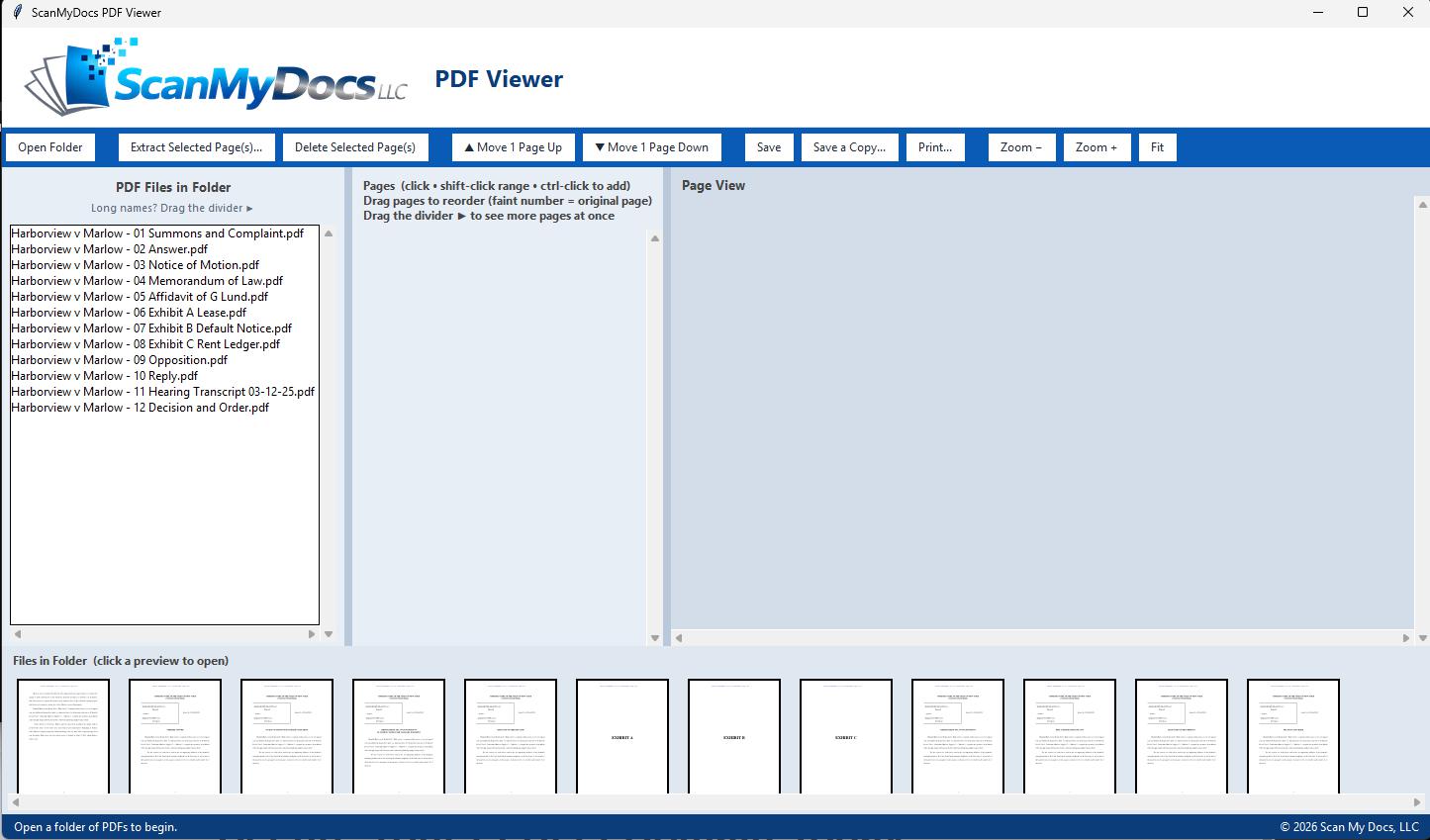
Most PDF readers open one file at a time. Ours opens a whole folder: the first page of every PDF runs along the bottom, and every page of the file you’re in sits on the left. It’s the tool we use to check scanned boxes, and you’re welcome to it. Reorder, pull out, delete, and print pages, then save over the original or as a copy.

Windows 10 and 11. Nothing to install: unzip and run.
Free, released under the GNU AGPL v3, built with PyMuPDF.

PDF Viewer with a folder of sample court filings: file list on the left, page thumbnails with faint original page numbers, a large page view, and the first page of every file along the bottom
Shown with fictional sample documents. Click any screenshot to see it full size.
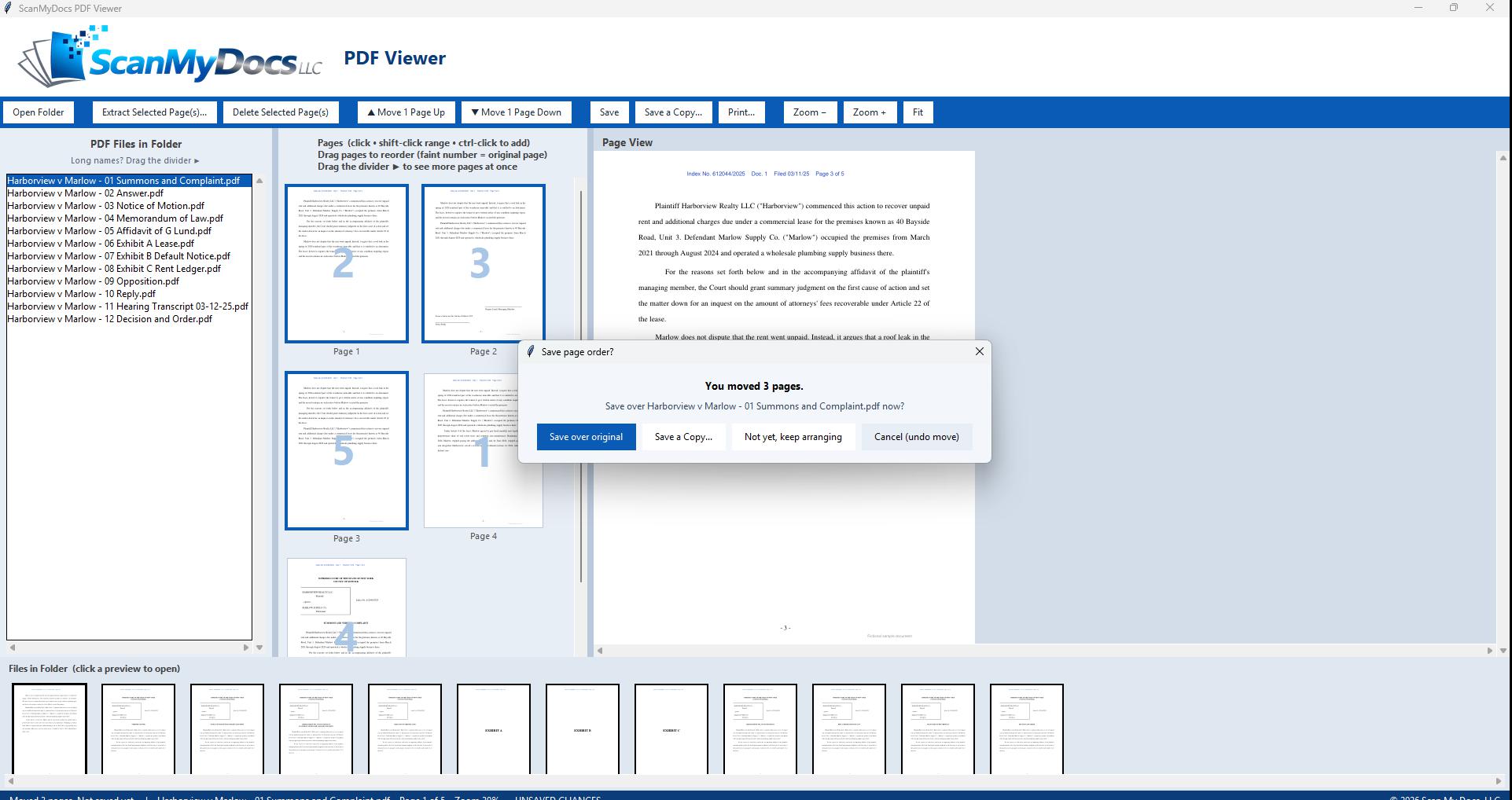
Two pages dragged to a new spot, with faint original page numbers and a prompt to save over the original
Drag pages into order. Move one page or several. The faint number shows where each page started, so you can check your work before you save.
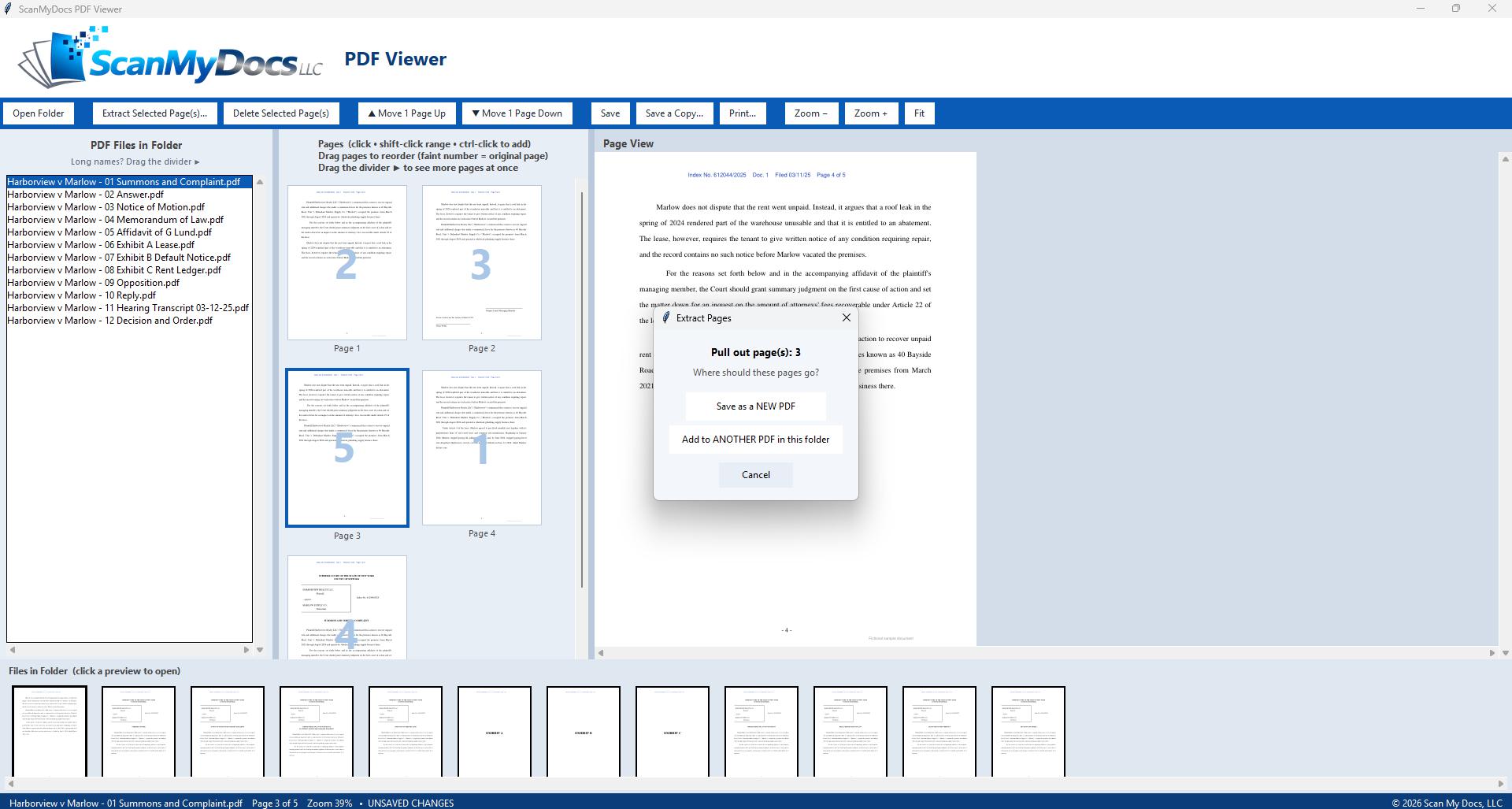
Extract Pages window offering to save the selected page as a new PDF or add it to another PDF in the folder
Pull pages out. Save them as a new PDF, or add them to the end of another file in the folder.
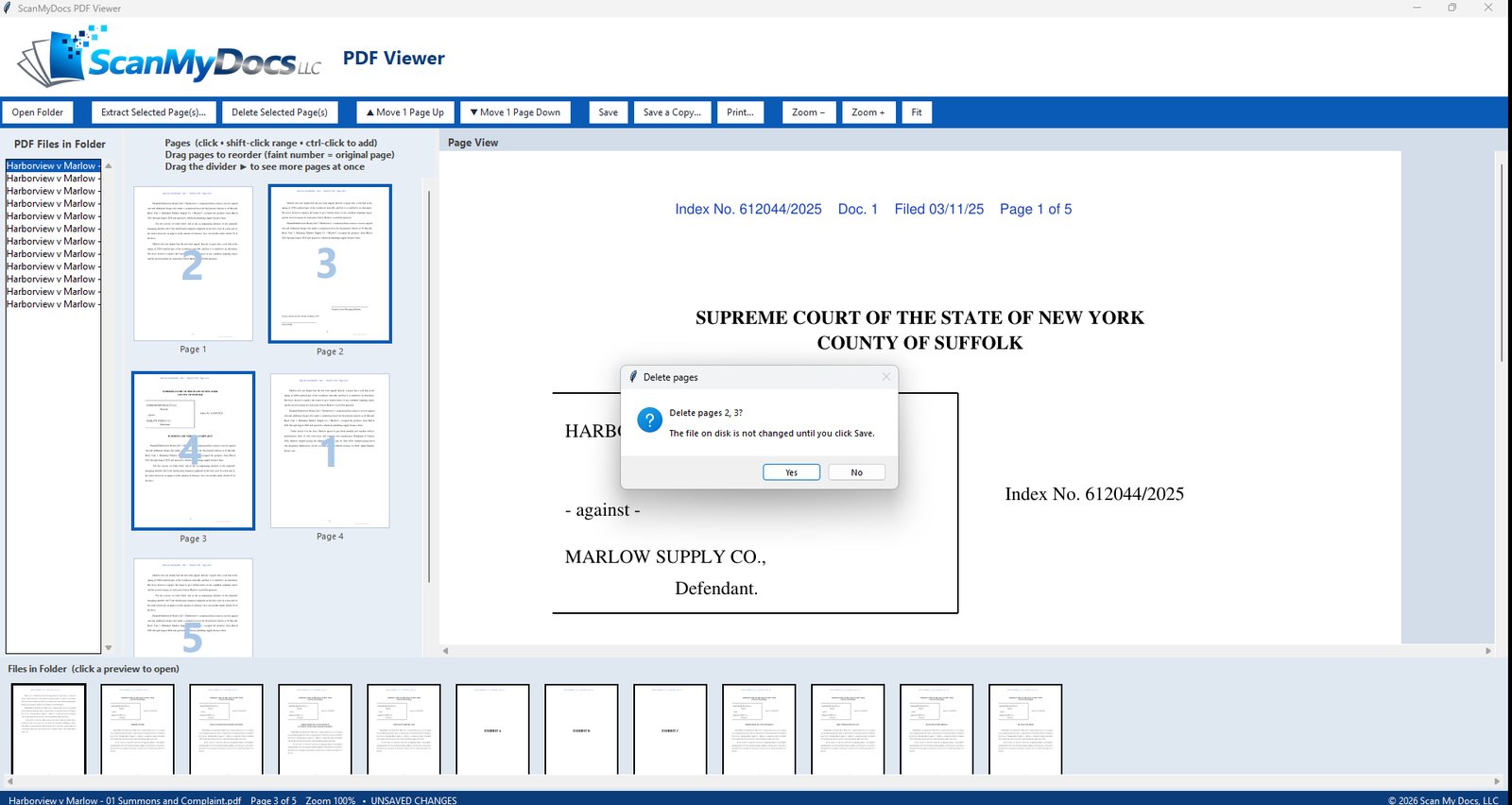
Delete pages prompt confirming two selected pages, noting the file is not changed until you save
Delete what you don’t need. Blank pages and separator sheets come out, and nothing changes on disk until you save.

Small firms bring us paper problems. We solve them.

Most of our custom tools started as one client’s headache. If a paper process is costing your staff hours every week, we can usually scan it, organize it, and build the tool that fixes it.

Elder law firm

Medicaid lookback reviews took days of highlighting bank statements.

We built a bank analysis tool for their paralegals. Draw a box around a transaction and it drafts the explanation, flags lines still waiting on proof, and exports a finished audit report for the attorney. See it.

Property management company

One monthly utility bill covered dozens of buildings.

Our tool reads the account numbers, matches them against the company’s lookup table, splits the bill by building, and builds the monthly invoice, instead of someone sorting it by hand.

Medical practice

Filing cabinets full of patient charts, and a front desk buried in paper.

We scanned the charts and built a desktop program to find and manage patient files, plus a companion program for front-desk intake and scheduling.

Law firm

Closed files were in storage, and finding one took a day.

We scanned the archive into a Digital File Room: a searchable browser portal where staff pull up any file in seconds, with a simple built-in PDF viewer. See it.

Real estate attorney

Every closing meant burning USBs and shipping cases.

We replaced them with branded browser binders, including a separate copy for the other side. See how it works.

Built for records-heavy offices

Elder law and Medicaid

Applications, recertifications, guardianships, nursing home planning, and audit-ready Medicaid files.

Law firms

Closed case files, litigation support, discovery documents, closing binders, and structured archives.

Property management

Tenant files, leases, vendor records, monthly invoices, checks, and property-level organization.

Healthcare and business offices

Patient charts, forms, compliance files, HR records, and accounting documents.

Archives and historical records

Books, fragile papers, photos, bound volumes, and long-term digital preservation.

Invoice and AP processing

Invoice scanning, OCR, key field capture, and exports for accounting.

Box pricing, without the complications

For most projects we quote by the box. Pricing depends on prep, OCR, indexing, file naming, book scanning, data extraction, and delivery. Volume discounts are available for larger projects.

Per-box quotes

Ask about box pricing, volume discounts, and project quotes.

Get a quote

Talk with ScanMyDocs

Need a box scanning quote, an on-site plan, closing binders, or help with a paper problem that’s slowing your office down? Tell us about it.

(631) 357-2416 contact@scanmydocs.com
New York City office

1 East 28th Street, New York, NY 10016

Long Island service area

Serving Nassau and Suffolk Counties by appointment

ScanMyDocs LLC

Please don’t include patient or client details in this form. We’ll follow up to discuss specifics.